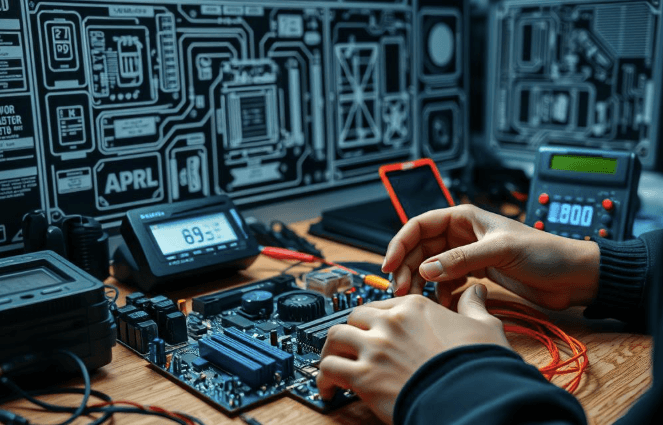

Hardware troubleshooting starts with interpreting POST codes and quickly isolating the fault to RAM, storage, or GPU. A disciplined workflow follows: verify power basics, reseat cables, and remove peripherals to reduce variables. Then run targeted tests—RAM diagnostics, storage benchmarks, and CPU/GPU stress tests—while monitoring temperatures and power delivery. Document results and apply remediation steps, retest for bootability, and refine the plan as issues emerge. The key is a concise, actionable sequence that reveals the next decisive step.
How to Diagnose a No-Boot Computer Step by Step
When a computer appears lifeless at power-up, a structured diagnosis is essential to identify the root cause efficiently.
The procedure begins with POST code interpretation and component isolation, proceeding to RAM diagnostics to confirm memory integrity, then GPU stress testing to assess graphical subsystem behavior.
Document findings, reset subsystems as needed, and re-test to verify a stable, bootable system.
Quick Checks: Cables, Power, and Peripherals
After completing initial POST evaluation and component isolation, the focus shifts to quick, observable checks that can rule out common external causes. The procedure emphasizes power basics, cable assessment, and peripheral sanity. Systematic steps include reseating connectors, verifying power supply stability, unplugging and replugging devices, and testing with minimal peripherals. Results guide further testing without touching core components.
Testing Core Components: RAM, Storage, and CPU/GPU
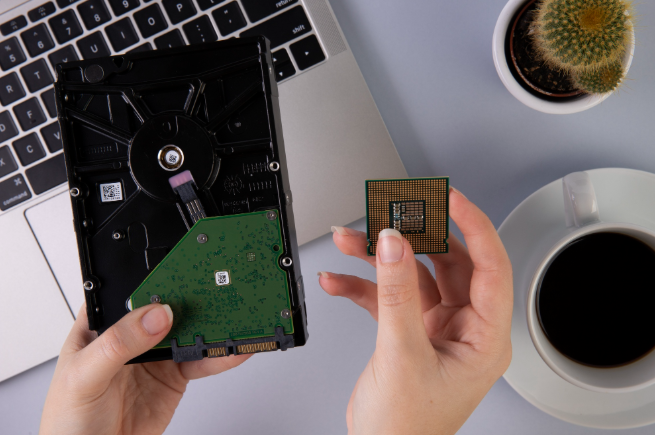
To assess core components, begin with targeted checks on RAM, storage, and CPU/GPU to confirm basic operability before deeper diagnostics. Systematic evaluations establish baseline diagnostics, then memory integrity and device reliability are verified.
RAM testing identifies faults, storage benchmarking measures throughput, and CPU/GPU stress testing probes stability.
Results drive practical, concise remediation, guiding informed decisions without redundancy.
Monitoring Health: Cooling, Temps, and Power Delivery
Monitoring health begins with a disciplined assessment of cooling, temperatures, and power delivery to ensure components operate within safe margins. The approach emphasizes verifiable metrics: cooling efficiency, thermal trends, and power delivery dynamics. Observations are documented, comparisons made against specifications, thresholds set, and corrective actions identified. This method preserves performance, reliability, and user autonomy without superfluous detail.
Frequently Asked Questions
How to Safely Handle Static-Sensitive Components During Repairs?
The subject employs strict static sensitive handling practices, applying anti static measures to remove static risk; workers maintain ground awareness, use grounded mats and ESD-safe tools, and follow disciplined procedures for safe, controlled repairs.
Which Software Tools Can Safely Test Hardware Reliability?
Testing hardware reliability relies on software diagnostic tools, executed with disciplined rigor. The detached analyst notes, systematically, that reliable results stem from careful benchmarking, error logging, and repeatable tests, enabling freedom-loving engineers to trust measurements and iterate confidently.
How to Choose the Right Replacement Parts for Upgrades?
To choose the right replacement parts for upgrades, one should assess system goals, compatibility, and budget, focusing on upgrading storage and selecting fans; verify dimensions, interfaces, power limits, and warranty terms before committing to components.
What Signs Indicate a Failing Motherboard Beyond Boot Issues?
A failing motherboard can exhibit intermittent POST failures, random freezes, USB/PCIe instability, LED error codes, and abnormal temperature readings, even without boot issues. Systematically, these symptoms indicate hardware degradation, guiding diagnostic steps toward replacement or professional evaluation.
See also: Growth Hacking Techniques
How to Budget for Recurring Hardware Maintenance and Upgrades?
Budget planning for recurring hardware maintenance involves lifecycle forecasting, vendor negotiation, warranty coverage, risk assessment, and a spare parts strategy; it enables the organization to sustain freedom through disciplined, practical, and systematic expenditure management.
Conclusion
A methodical approach to no-boot issues yields reliable containment of faults. By starting with POST signals, performing targeted component isolation, and validating RAM, storage, and CPU/GPU health, technicians create a clear diagnostic trail. An interesting statistic: across vetted no-boot cases, RAM-related faults account for roughly 25–40% of failures, underscoring memory diagnostics as a priority. The process emphasizes external checks, controlled stress testing, and meticulous documentation, then reiterates remediation and retesting to confirm bootability and system stability.

 By
By